Deploy in your AWS account (AWS Marketplace + CloudFormation)

My-Drive.CLOUD is installed into the customer’s AWS account using an AWS Marketplace listing and a CloudFormation template. Enterprise teams can deploy in regions such as us-west-2, eu-central-1, and ap-northeast-1.

Recommended for 200+ users: book a demo to review AWS sizing, network setup, and rollout plan.

Prerequisites
  • An AWS account
  • A domain name and DNS access
  • Ideally DNS hosted in the same AWS account (Route 53 recommended)
  • Basic AWS/I.T. knowledge (support available)

Implementation steps

The standard install uses AWS Marketplace and a CloudFormation template to provision the required resources.

Step 1

Open AWS Marketplace

Go to AWS MarketplaceDiscover.

Step 2

Search and select

Search for My-Drive and open the product listing.

Step 3

Launch CloudFormation

The listing uses a CloudFormation template to deploy the stack in your account.

Step 4

Configure first-time setup

Follow the installation instructions and complete initial configuration in a few steps.

Support is available

My-Drive.CLOUD can be implemented with minimal AWS and I.T. knowledge, and we can provide support for enterprise rollouts.

  • AWS region selection (commonly us-west-2, eu-central-1, ap-northeast-1)
  • Domain/DNS planning (Route 53 recommended)
  • Instance sizing guidance for your user base
  • Security review: encryption, MFA/JWT, sharing policies
  • Optional: customization planning via cloud code editor and extensions
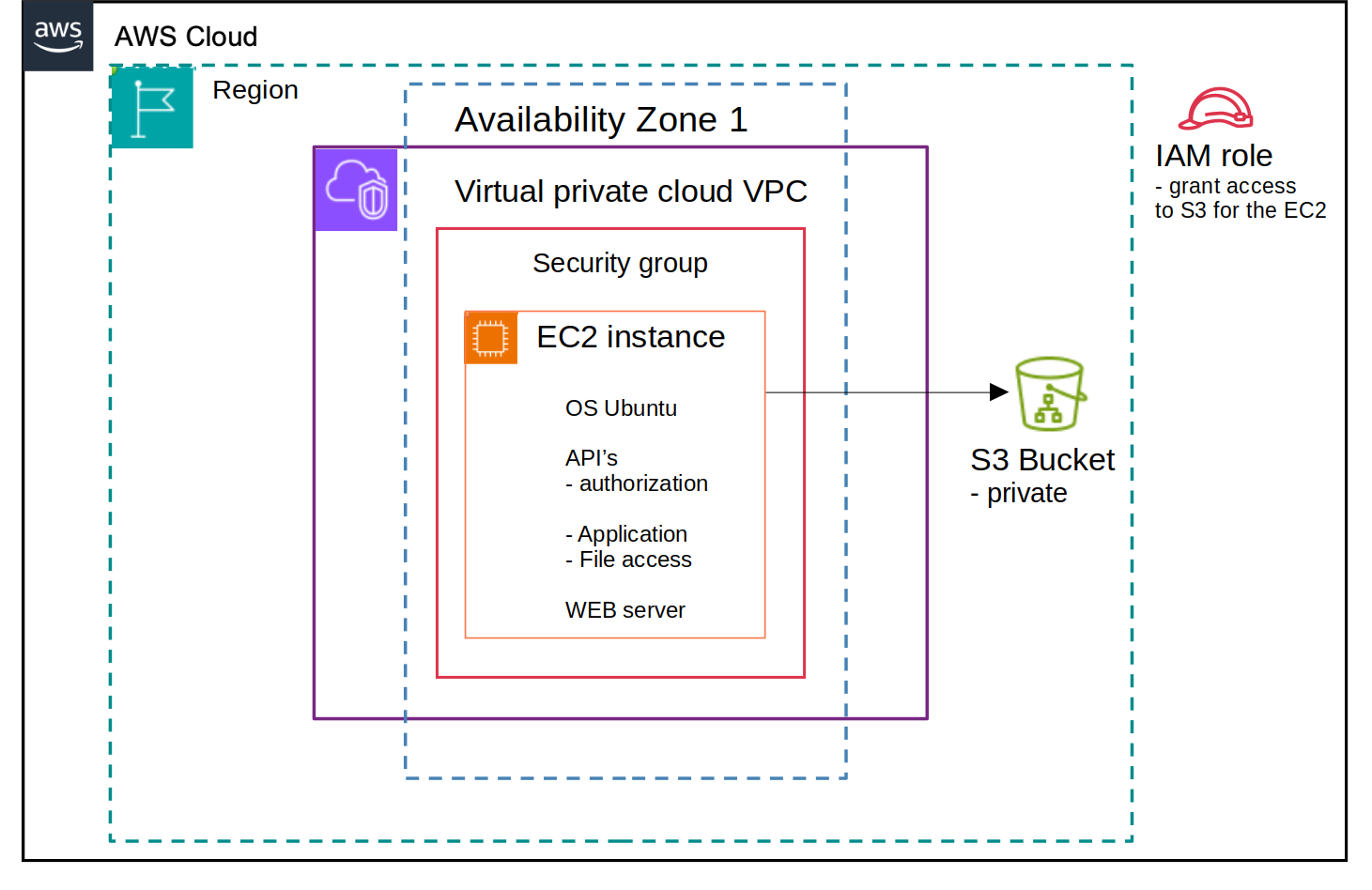
My-Drive.CLOUD architecture

Deployment FAQ

Yes. My-Drive.CLOUD is deployed in the customer’s AWS account. We can also provide demo environments on our AWS infrastructure.

Minimal knowledge is usually enough to deploy with CloudFormation. For enterprise implementations, we recommend a guided call.

You need a domain name and DNS access. It’s ideal (but not mandatory) to host DNS in the same AWS account (Route 53 recommended).

Deploy with confidence

Book a walkthrough and we’ll help plan region, DNS, sizing, and security for an enterprise rollout.