AWS-native architecture in your account

My-Drive.CLOUD is deployed inside the customer’s AWS account using AWS Marketplace and CloudFormation. Storage and compute stay under your ownership—designed for secure collaboration and enterprise scale.

Customer-owned AWS account EC2 + S3 AES-256 at rest Encrypted transfer MFA + JWT
Supported regions (common)
us-west-2 eu-central-1 ap-northeast-1 others on request

Deployment method
AWS Marketplace + CloudFormation

Reference architecture

My-Drive.CLOUD uses AWS building blocks for storage and compute. Capacity and performance are managed by selecting the appropriate EC2 resources for your workload and expected usage patterns.

  • Compute: AWS EC2 (scales with instance selection / allocation)
  • Storage: AWS S3 (AES-256 at rest)
  • Security: MFA, JWT authorization, brute-force protection
  • Collaboration: sharing to users/groups, external download links, Collabora Online editing
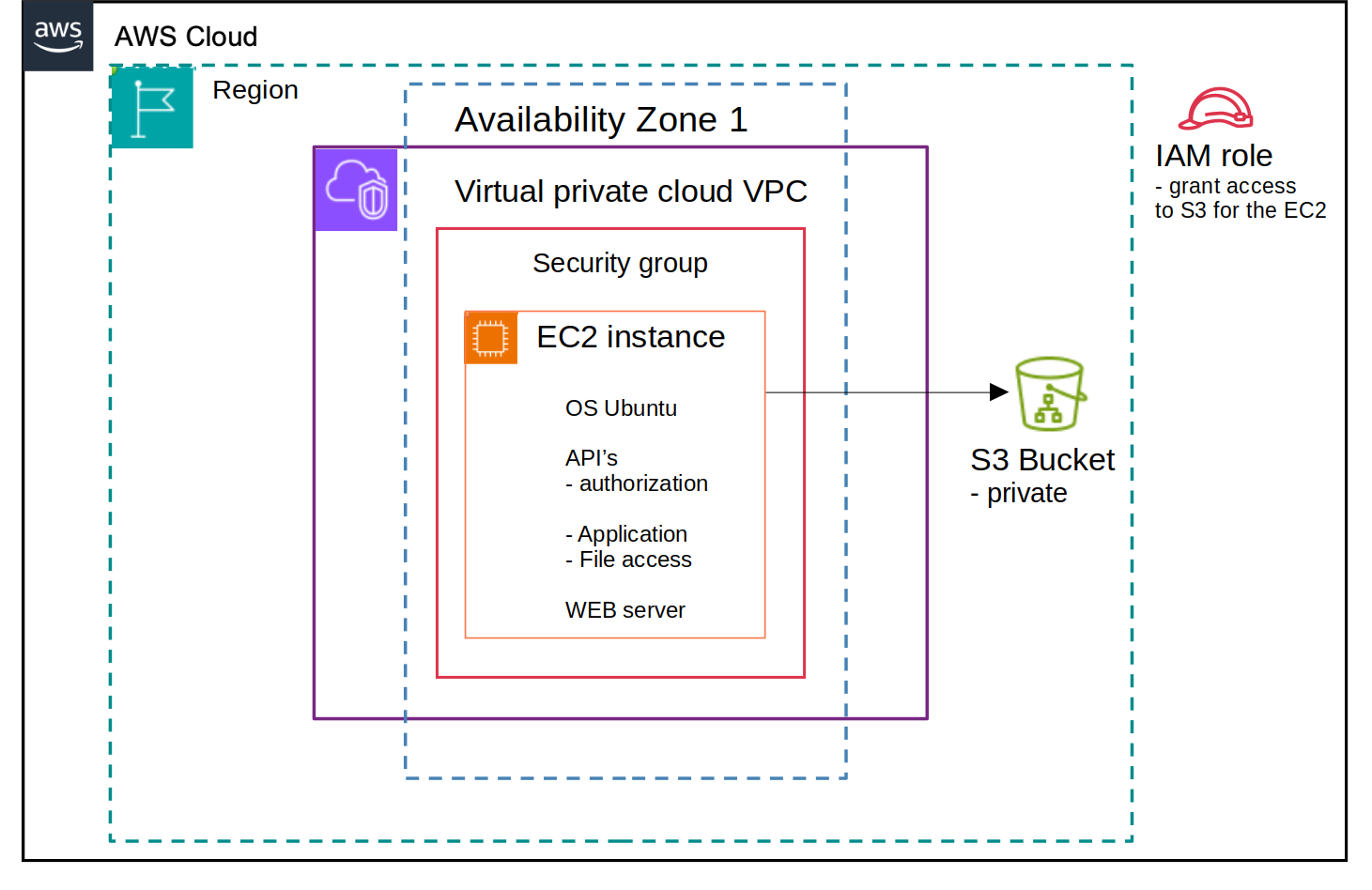
My-Drive.CLOUD architecture diagram

What you control and how it scales

My-Drive.CLOUD supports enterprise deployments by scaling infrastructure in AWS. Unlimited users are supported; active capacity depends on allocated resources.

Storage
AWS S3
Encrypted at rest (AES-256). Scale storage independently of compute.
Compute
AWS EC2
Scale performance by choosing instance types and sizing for your workload.
Collaboration workload
Concurrent usage
Online editing and active usage capacity depend on allocated infrastructure.
Note: If you want a concrete sizing recommendation for 200+ users, book a demo—our team will map expected usage to an AWS configuration.

Security is part of the architecture

Encryption, authentication, authorization, and controlled sharing are core platform capabilities. Compliance posture: GDPR-ready / HIPAA-aligned.

Plan an enterprise deployment (200+ users)

We can walk through architecture, AWS sizing approach, deployment steps, and security considerations for your target region (us-west-2, eu-central-1, ap-northeast-1).